1-page invoice
Total, postage included
$2.05
- Your invoice page plus the address page, in a #10 double-window envelope.

STANDARD ENVELOPE · 2 SHEETS
Address page and a 1-page invoice going into a standard envelope
Invoices and statements
$2.05 gets a one-page invoice printed and mailed by USPS First-Class, postage included, with no subscription. Upload the PDF you'd email; we add an address page for the window. Printed the next business day following payment.
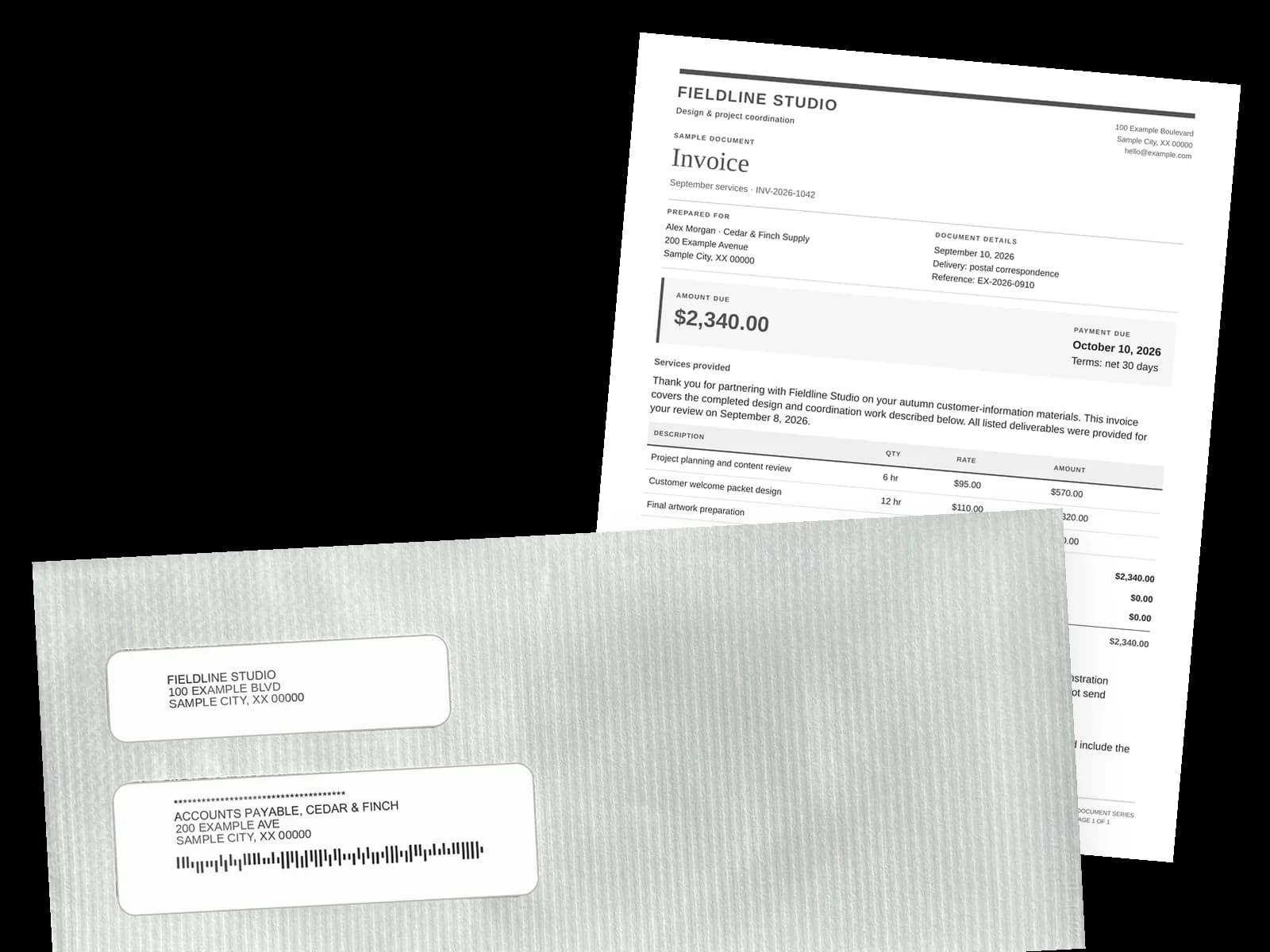
Opened on their desk
A #10 double-window envelope with a security tint inside. Your business name and address show in the top window and your customer's in the bottom one, both printed on an address page we add in front. Behind it is your invoice as you made it, with the logo, invoice number, PO number, line items and remit-to address you put on it, on 8½ × 11, 60 lb paper.
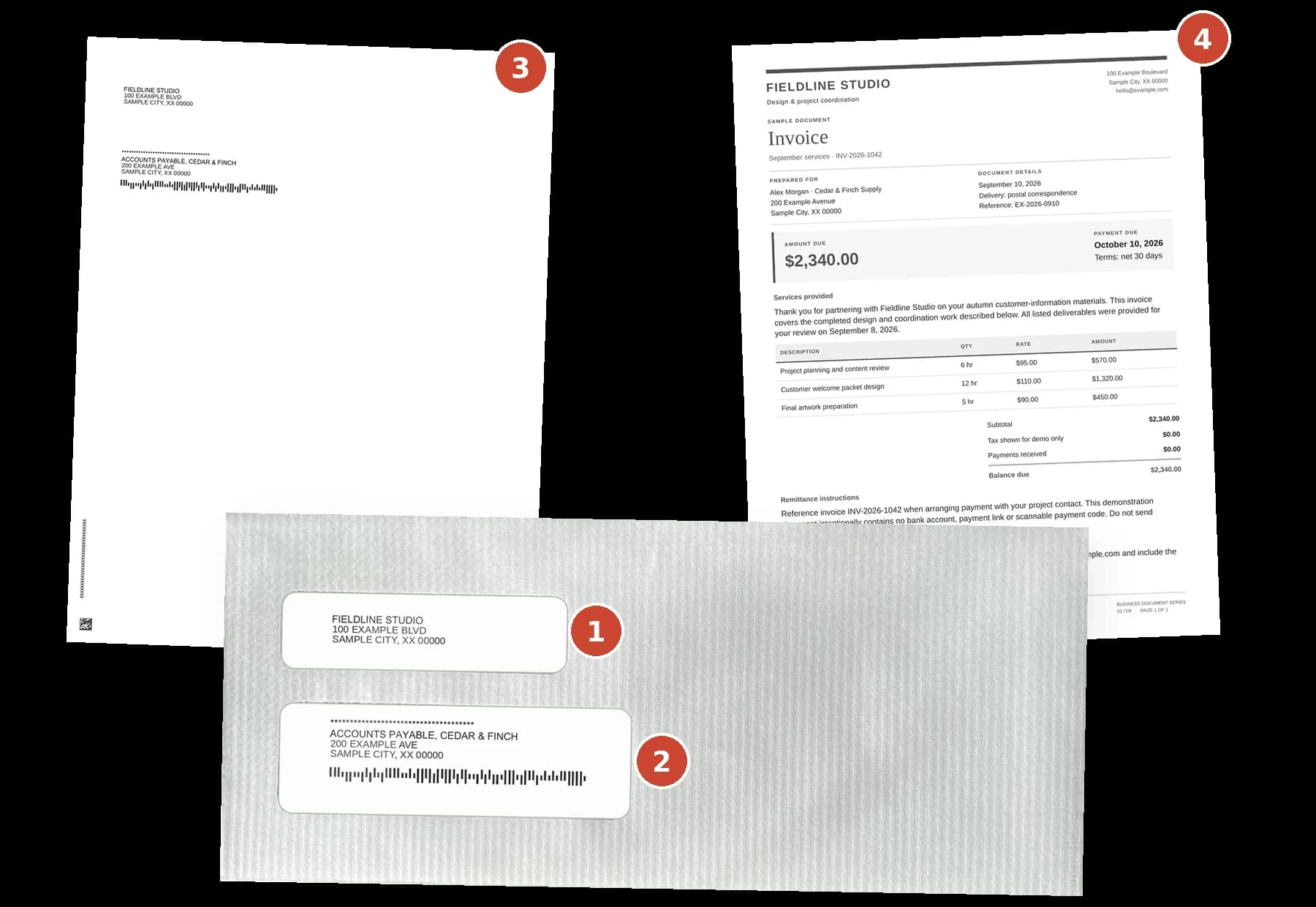
Illustration with sample content. The windows show the address page; your invoice follows it unchanged.
Send your next invoice to your own address first and open it yourself. $2.05 for one page.
Price per invoice
Count the pages in your PDF. Each total covers printing, a #10 envelope, the address page we add, USPS First-Class postage and the processing fee. Black and white, one side.
Total, postage included
$2.05
STANDARD ENVELOPE · 2 SHEETS
Address page and a 1-page invoice going into a standard envelope
Total, postage included
$2.26
STANDARD ENVELOPE · 3 SHEETS
Address page and a 2-page invoice going into a standard envelope
Total, postage included
$2.47
STANDARD ENVELOPE · 4 SHEETS
Address page and a 3-page invoice going into a standard envelope
Color: $2.52 for one page. Before the fee, each extra page adds $0.20 ($0.40 color), and a flat envelope at 7+ sheets, address page included, adds $2.50. Double-sided printing can keep a long statement in the #10.
A longer invoice, color or both sides? Price your invoice in the mail cost calculator. The total includes the address page, the envelope and First-Class postage, and you don't need an account to estimate.
Stamps and supplies cost less cash than we do; the steps are the difference.
| Doing it yourself | Postmarkr | |
|---|---|---|
| Printing | Your printer, paper and toner | Printed for you |
| Fitting the address | Lay it out for a window, or hand-address it | Address page added in front |
| Envelope and postage | An envelope and a $0.82 stamp each | #10 envelope and First-Class postage, included |
| Getting it to USPS | A mailbox or post-office run | We mail it |
| Cash for a one-page invoice | About $0.92, stamp and supplies | $2.05, all in |
Stamp: USPS retail price. Supplies: our estimate.
Stamps, a meter or a service at your monthly volume: see postage options for mailing invoices.
An address page with their address and yours, then your invoice exactly as uploaded, folded into a #10 double-window envelope with a security tint and sent by USPS First-Class Mail.
Return envelopes, tear-off stubs, monthly auto-send and pulling invoices from accounting software aren't available yet. For each, do this:
FAQ
Each invoice gets a status page in your Postmarkr dashboard, with USPS scan updates when available. We email you when it's sent to print, and you can download a PDF of exactly what we printed. Mail returned as undeliverable because of an incorrect or incomplete address is not eligible for a refund or free resend. If USPS confirms a letter was lost, we'll resend it for free.
Postmarkr's invoice mailing service costs $2.05 for a one-page invoice in black and white, $2.26 for two pages and $2.47 for three; color is $2.52 for one page. Each total includes printing, the envelope, the address page, USPS First-Class postage and the processing fee. No plan or minimum; you pay per invoice by card.
Yes, as a PDF. Export each invoice from QuickBooks, Xero, FreshBooks or Wave and upload it to Postmarkr. There's no accounting-software connection or API yet, and a combined export isn't split into separate letters, so save one PDF per invoice. Then mark it as sent in your accounts receivable records.
No. Postmarkr adds an address page in front with your customer's address and yours, and it shows through the #10 envelope's windows. Your invoice prints exactly as you made it, behind that page. The address page is in your preview and every total, billed as one extra page.
Printed the next business day following payment. Your letter enters the mailstream by the next business day. From there, USPS estimates 1–5 days for First-Class delivery. On net 30 terms, count back from the due date and allow for the check's trip back.
Two ways. For different invoices or itemized monthly statements, export each as its own PDF, add it to your Cart with its customer and pay for up to 10 per checkout. For one past-due notice or reminder to many customers, Bulk Send fills in each name, balance and due date from a spreadsheet, up to 100 per batch.
Documents are encrypted in transit and at rest. Your documents are processed automatically. We never read or review the content of your mail. Our print partner prints and mails each letter.
Not yet. Return or remittance envelopes and perforated stubs aren't available. Print your remit-to address and a pay-online link on the invoice; a remittance slip in your PDF prints with the invoice, and customers who pay by check use their own envelope. Monthly auto-send and Certified Mail aren't available yet; you start each send. Volume pricing is not currently available. Letters go to U.S. addresses only.
Your invoice prints as you made it, with your logo and remit-to details, and your business name and address are the return address in the top window. It goes out in a #10 double-window envelope with a security tint. Printed or branded envelopes aren't available yet, so your business name in that window is what your customer sees first.
Different invoice PDFs go in your Cart, each with its customer, and you pay for up to 10 together, so 200 invoices take 20 checkouts. For one notice to many customers, Bulk Send fills in each name, balance and due date from your spreadsheet, up to 100 customers per batch, so 200 customers take 2 batches. A combined export isn't split into separate letters yet, so save one PDF per invoice. Volume pricing is not currently available.
Put the PO number on your invoice before you export the PDF; it prints as you made it. A typed address doesn't have a separate company line yet, so type "Accounts Payable" and the company name in the Name field, up to 40 characters. Importing customers from a spreadsheet? A company column comes through with each address. Check the address page in your preview before you pay.
Save each client's business address in your address book, then choose it as the return address on that client's letters; your default return address fills in until you pick another. Every letter in your Cart keeps its own return address, and each Bulk Send batch uses one return address. Inviting clients or colleagues to your account isn't available yet.
Upload one invoice PDF. The preview shows every page and the exact total before you pay.
Page count and envelope size set each invoice's total.
Send business letters with mail-stream status updates, including USPS scan updates when available, plus address verification before checkout.
Support multi-page documents with standard and flat-envelope handling for larger print jobs.
Comparing services, postage, and mail versus email.
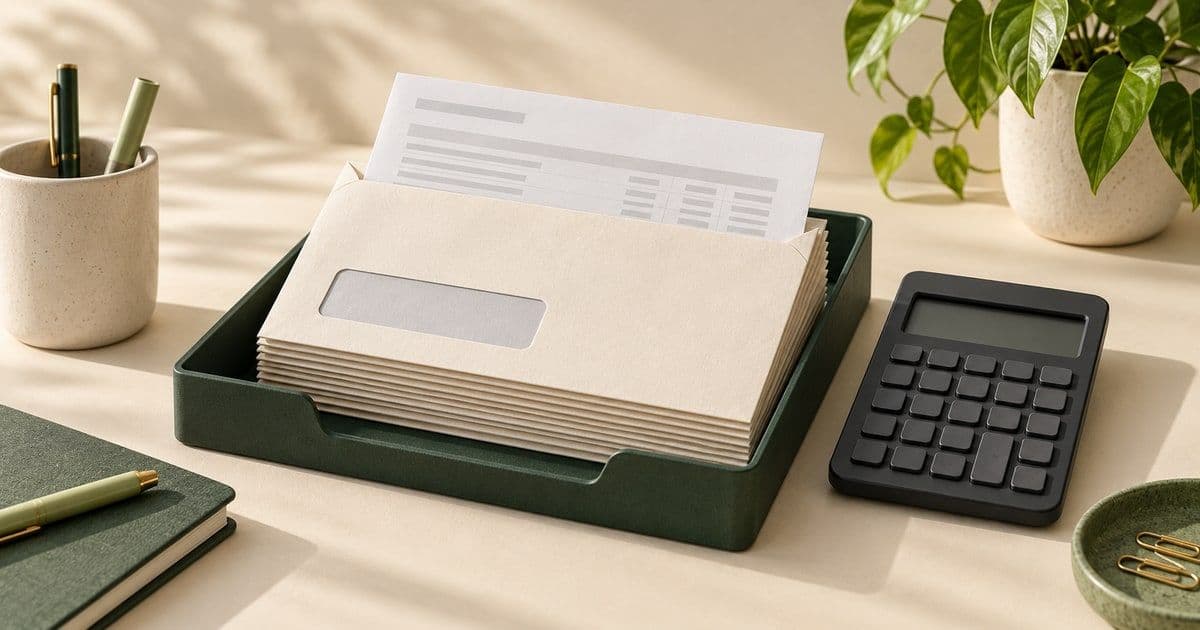
What it costs to print and mail an invoice four ways: with stamps, with online postage or a meter, through a print-and-mail service or through a statement house. What to check in a service, and which way fits how you work.
Stamps, Stamps.com, a postage meter or a mailing service: what each one costs a month from 10 to 1,000 invoices, and where one starts to beat the next.
Emailing an invoice costs almost nothing; mailing one costs $0.92 if you print and stamp it yourself, or $2.05 through Postmarkr. What each costs, and which invoices are worth a paper copy. USPS prices effective July 12, 2026.
Explore all guides in the Invoice & Statement Mailing Hub or the First-Class Mail Hub
You pay at step three, after the preview.
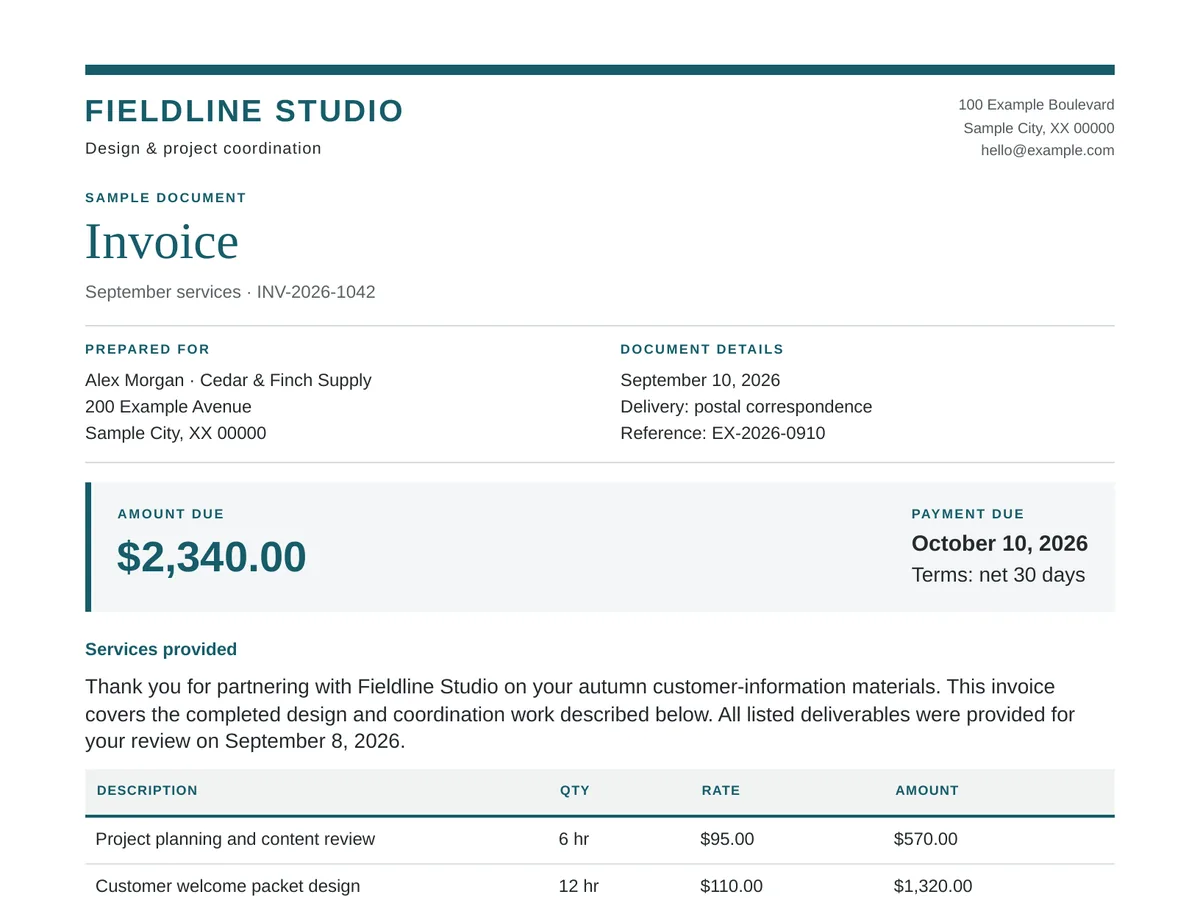
From QuickBooks, Xero, FreshBooks, Wave or any tool that saves a PDF.
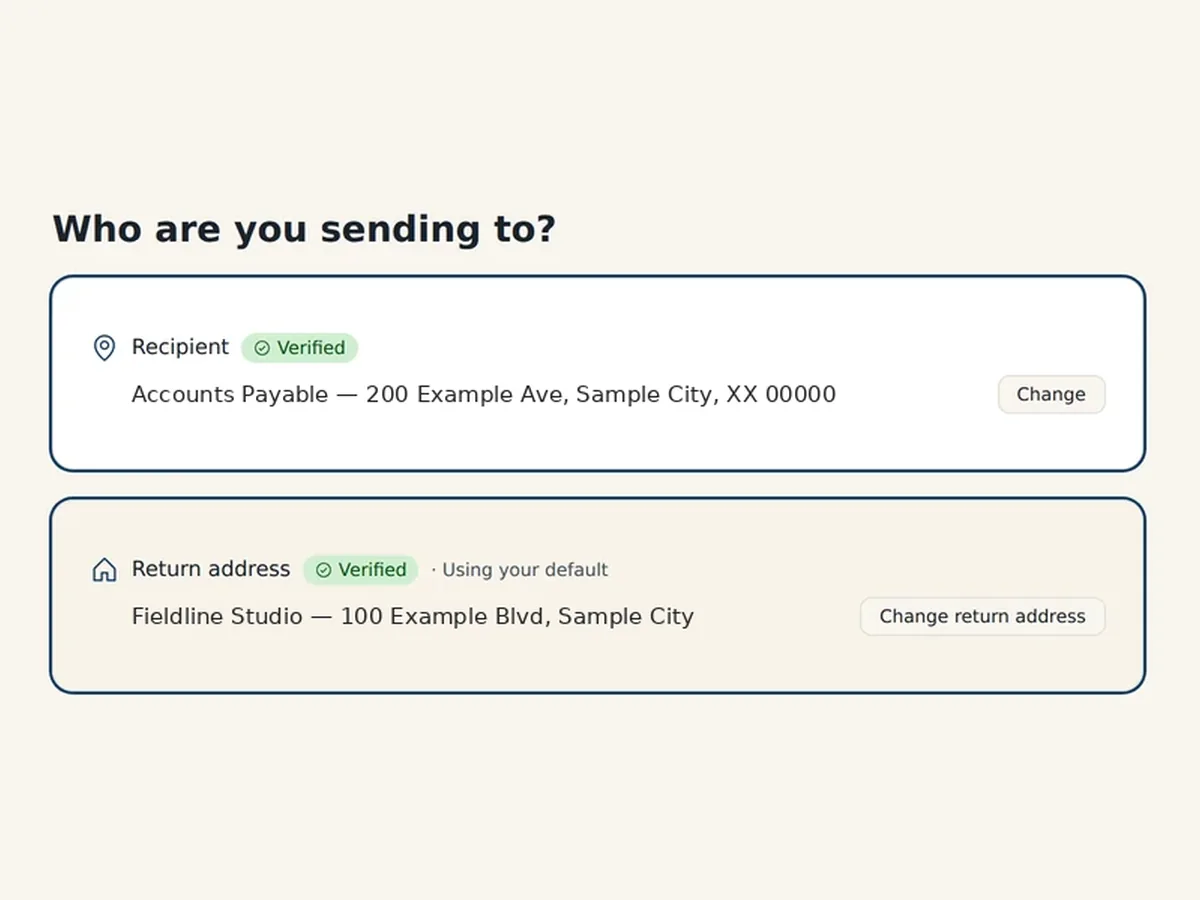
Choose a saved customer or type the address; we check it against USPS data.
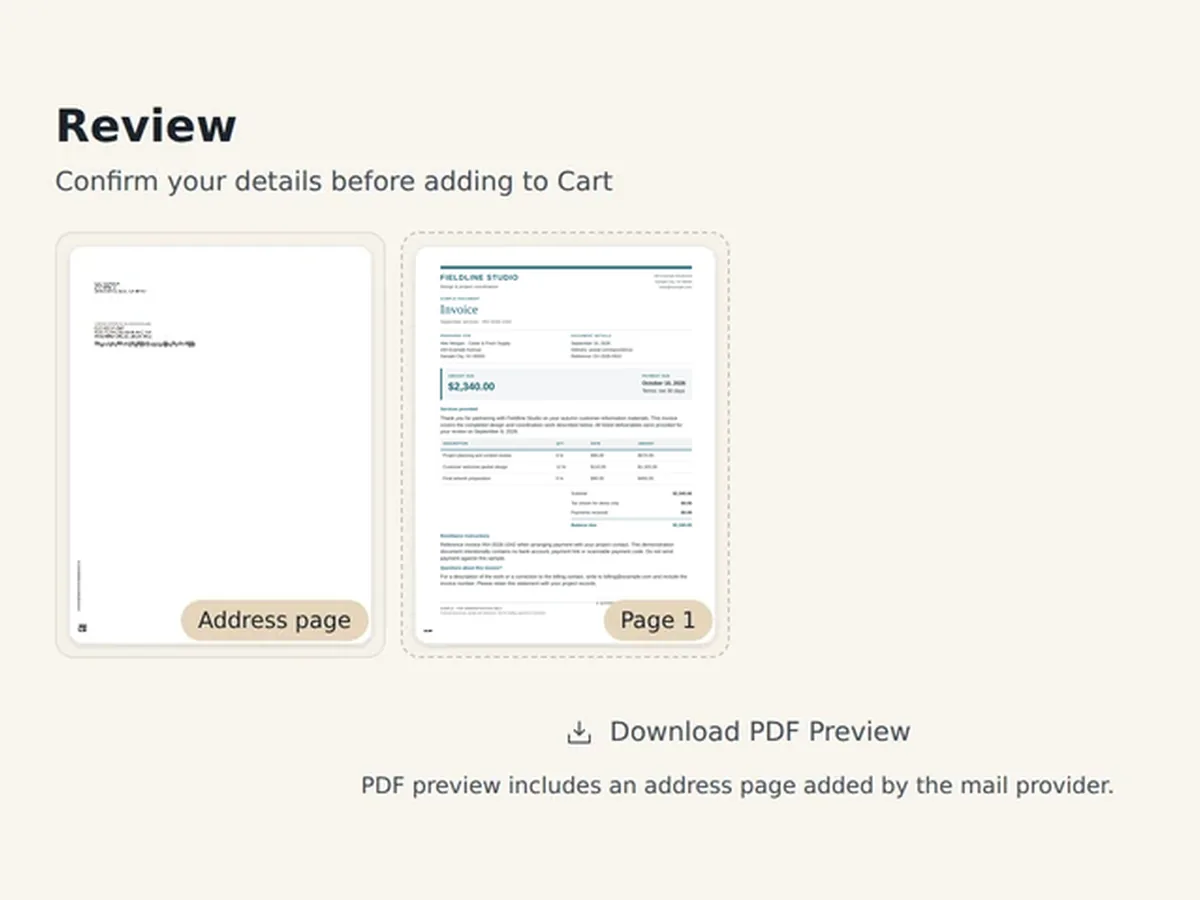
See every page, address page included, and the exact total. Then pay by card.
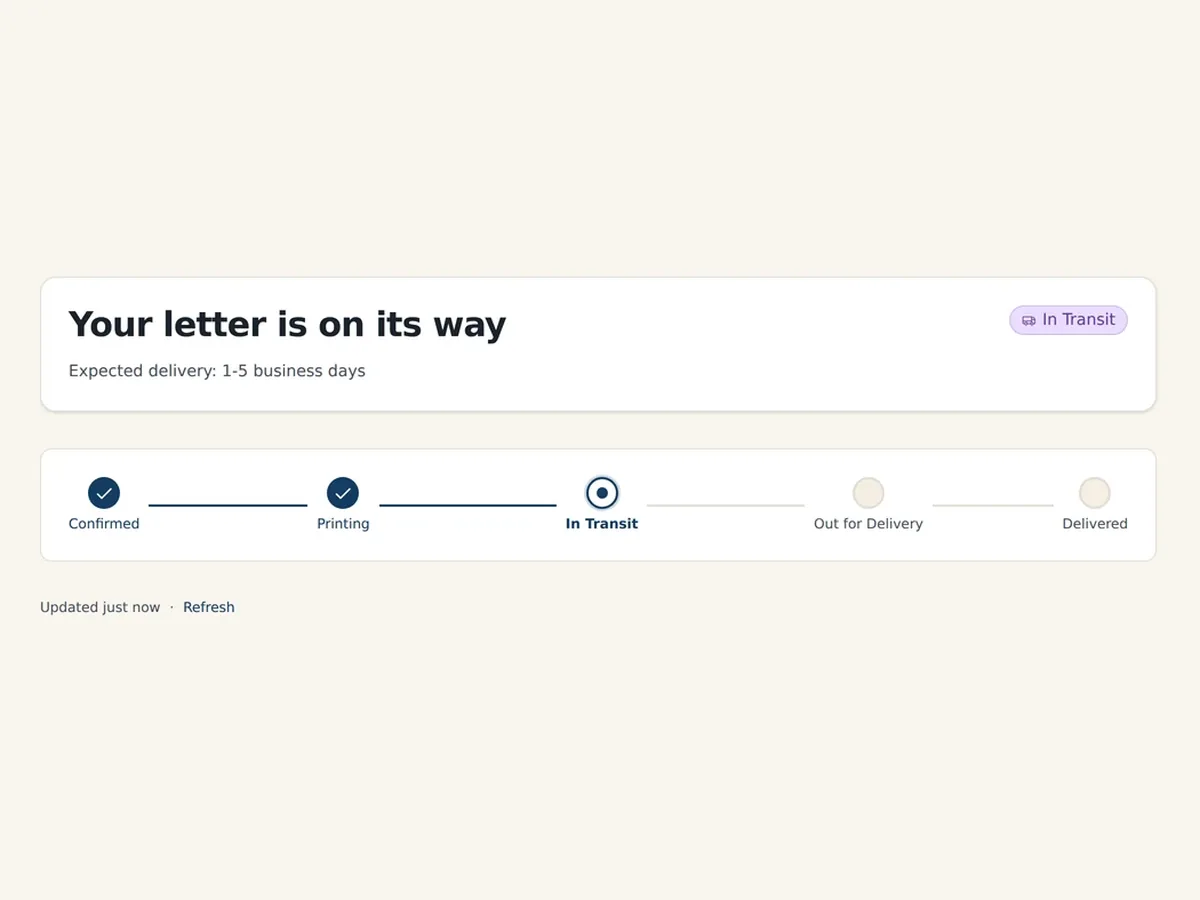
Printed the next business day, then mailed First-Class. USPS estimates 1–5 days for delivery.
A past-due notice today, a stack at month-end. Same price per invoice on every route.
For a second notice on a net 30 account, or the one customer who wants a paper invoice on their desk.
Saved customers are there next month
Add each invoice PDF to your Cart with its customer and pay for the stack together. Fill it again for the rest of the month.
Each invoice gets its own letter and status page
Build one notice or reminder; each customer's name, balance and due date fill in as merge fields from your spreadsheet. Approve one proof. Up to 100 customers and $1,000 per batch.
Itemized statements: export each PDF and use the Cart